> ## Documentation Index
> Fetch the complete documentation index at: https://docs.lettherebe.app/llms.txt
> Use this file to discover all available pages before exploring further.
# Subjects
> Register a recurring prop or object in LTB. One reference image is enough to keep its shape, color, and detail consistent across every shot.
A Subject is any prop, object, or vehicle that appears more than once. One reference image is enough — the same shape, color, and material carry into every beat that mentions it.
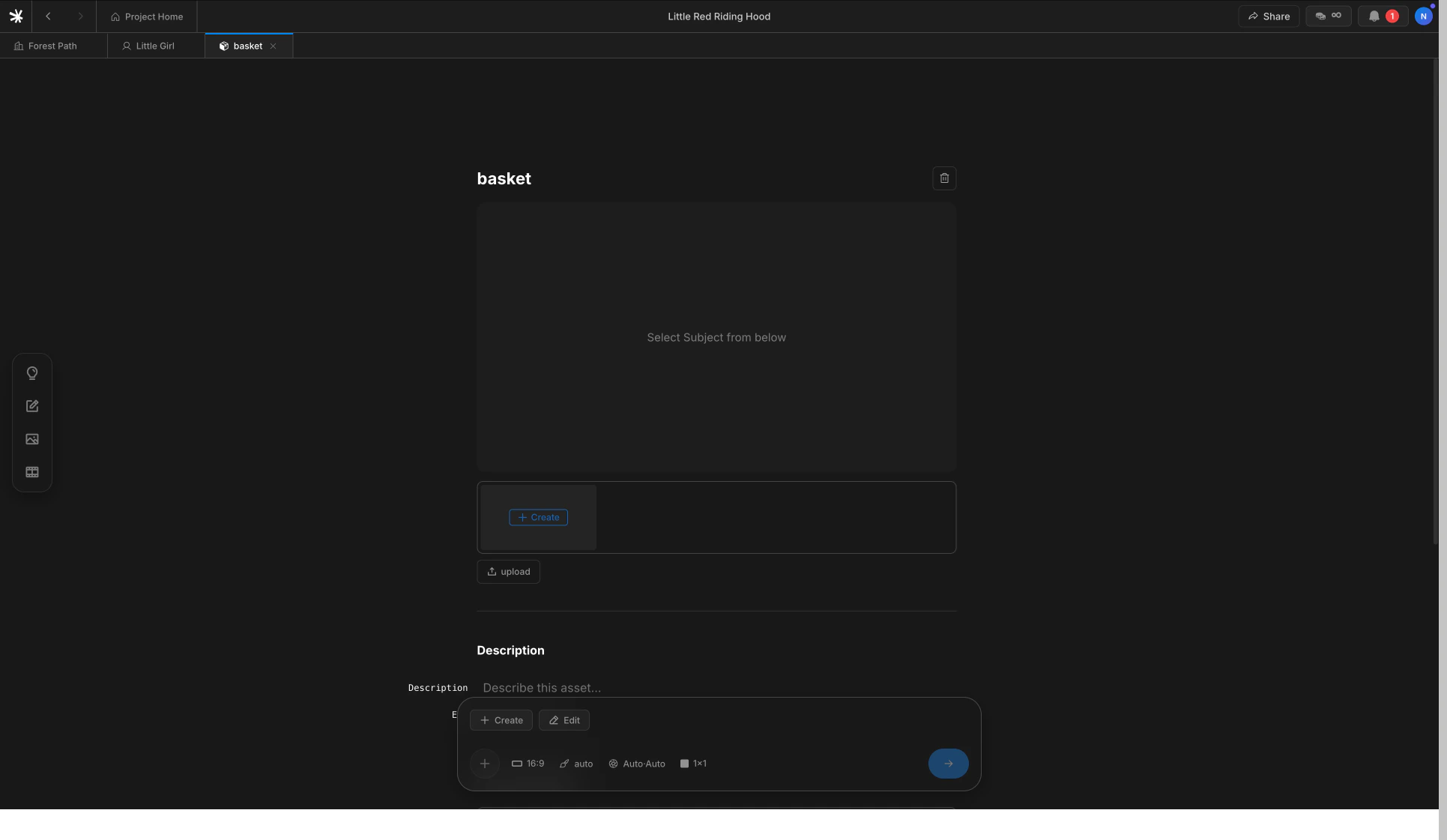 ## Two ways to register
The flow mirrors Characters — register inline while writing, or set up in advance.
Type `@` on any line. Pick `new subject` from the autocomplete and name the item.
Open the Subjects tab in the sidebar. Click `+ Create` or `Upload` to register before writing any lines.
You must pick the autocomplete entry to bind the Subject. Plain `@name` text typed without a selection becomes a regular word, and the next shot can render a different object.
## Why one photo is enough
A Subject is rigid — its silhouette and material are what need to stay constant. The image model can rotate the object and adjust lighting from a single clean reference. Multiple photos rarely improve identity and can introduce conflicting details.
Pick a reference where the object is centered, well-lit, and shown from the angle that defines it best. A neutral background helps the model isolate the shape.
## Subjects versus Characters
Both register through the `@` autocomplete, but they hold different things.
| | Character | Subject |
| ------------------ | --------------------------- | ----------------------- |
| **What** | A person | A prop or object |
| **References** | 1–3 photos | 1 photo |
| **Best reference** | Front, side, full body | One clean centered shot |
| **Mention syntax** | `@name` | `@name` |
| **Detail page** | Multiple outfits and styles | One canonical image |
## How Subjects flow into shots
Same as Characters — when a beat mentions a Subject with `@name`, the registered reference is passed into the image model alongside the scene background. The link is permanent until the line changes.
## Next
Register people with one to three photos.
Register a place. Four camera angles generated automatically.
## Two ways to register
The flow mirrors Characters — register inline while writing, or set up in advance.
Type `@` on any line. Pick `new subject` from the autocomplete and name the item.
Open the Subjects tab in the sidebar. Click `+ Create` or `Upload` to register before writing any lines.
You must pick the autocomplete entry to bind the Subject. Plain `@name` text typed without a selection becomes a regular word, and the next shot can render a different object.
## Why one photo is enough
A Subject is rigid — its silhouette and material are what need to stay constant. The image model can rotate the object and adjust lighting from a single clean reference. Multiple photos rarely improve identity and can introduce conflicting details.
Pick a reference where the object is centered, well-lit, and shown from the angle that defines it best. A neutral background helps the model isolate the shape.
## Subjects versus Characters
Both register through the `@` autocomplete, but they hold different things.
| | Character | Subject |
| ------------------ | --------------------------- | ----------------------- |
| **What** | A person | A prop or object |
| **References** | 1–3 photos | 1 photo |
| **Best reference** | Front, side, full body | One clean centered shot |
| **Mention syntax** | `@name` | `@name` |
| **Detail page** | Multiple outfits and styles | One canonical image |
## How Subjects flow into shots
Same as Characters — when a beat mentions a Subject with `@name`, the registered reference is passed into the image model alongside the scene background. The link is permanent until the line changes.
## Next
Register people with one to three photos.
Register a place. Four camera angles generated automatically.